What Naya actually does.
Naya is a private iPhone app that holds the context around what you were doing: the reasons, the people, the half-finished thoughts. It brings them back when you return, so after an interruption, a heavy week, or a month away, you continue instead of starting over.
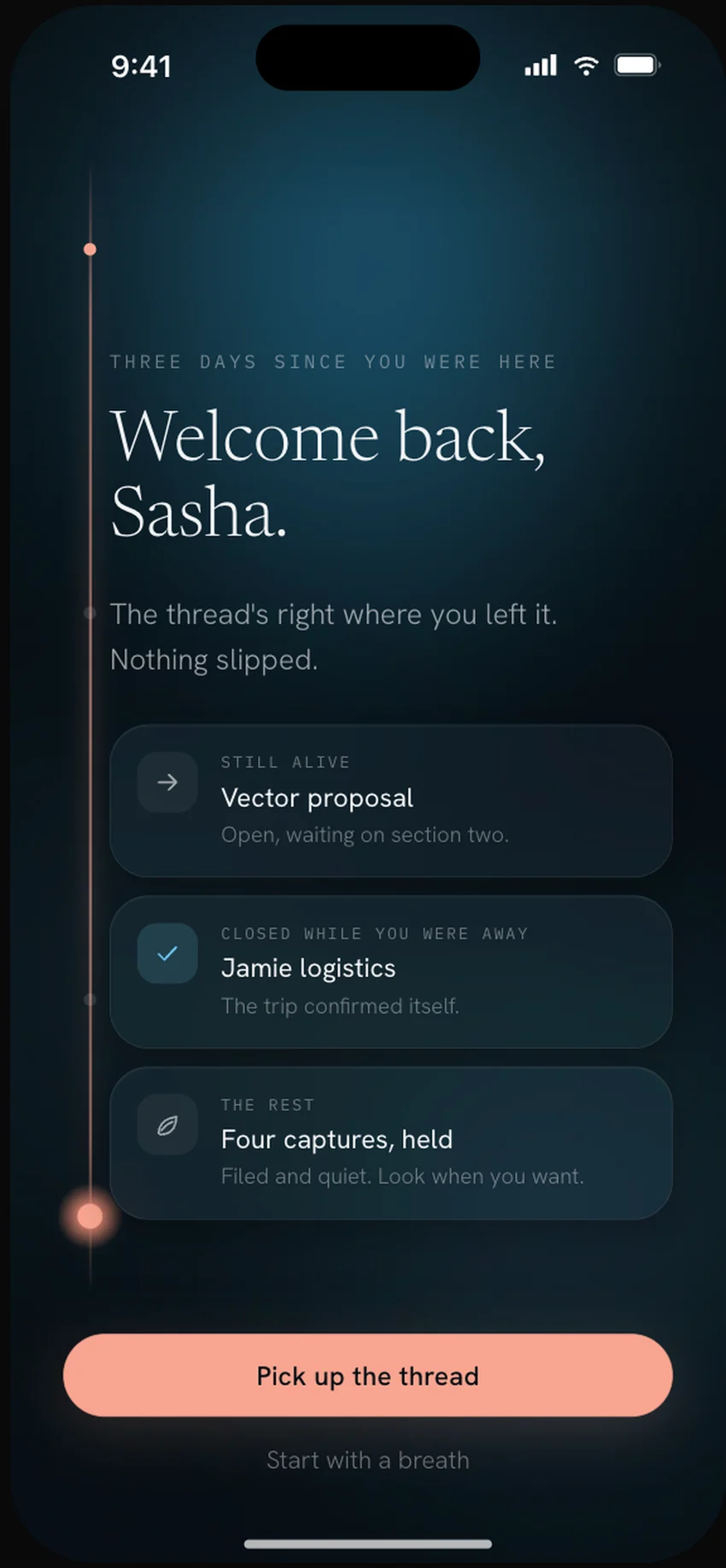
It keeps the reason around the thing, not just the thing.
Anything can store what you save. Naya keeps why you saved it, what it was part of, and the one next step: the context that usually evaporates the second something pulls you away. When that thing matters again, the context comes back with it, so returning feels like continuing rather than reconstructing.
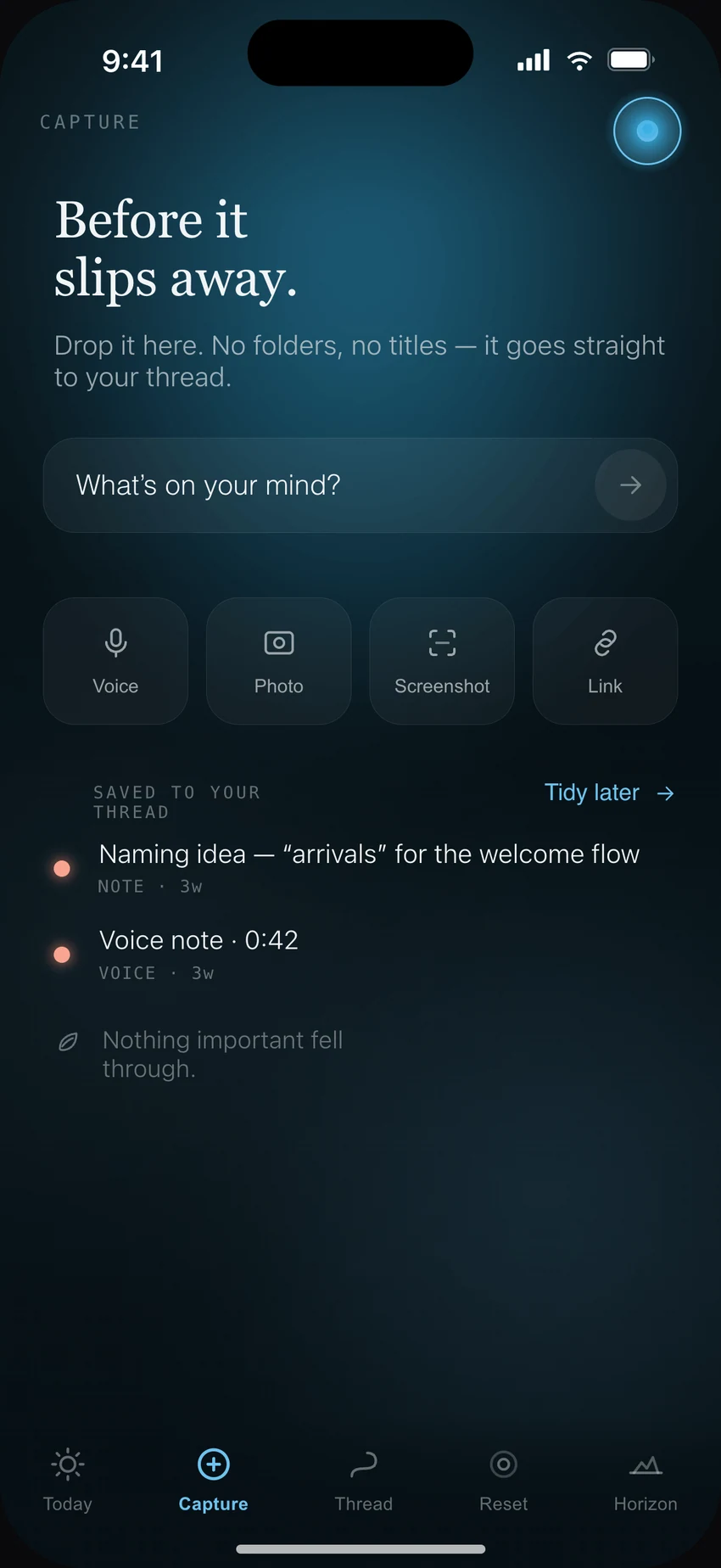
Set it down however it arrives.
Type it, say it, drop in a screenshot or a link, whatever's fastest before the thought is gone. You don't file it or tag it. Naya keeps the context around it on its own: where you were, what it belonged to, why it mattered.
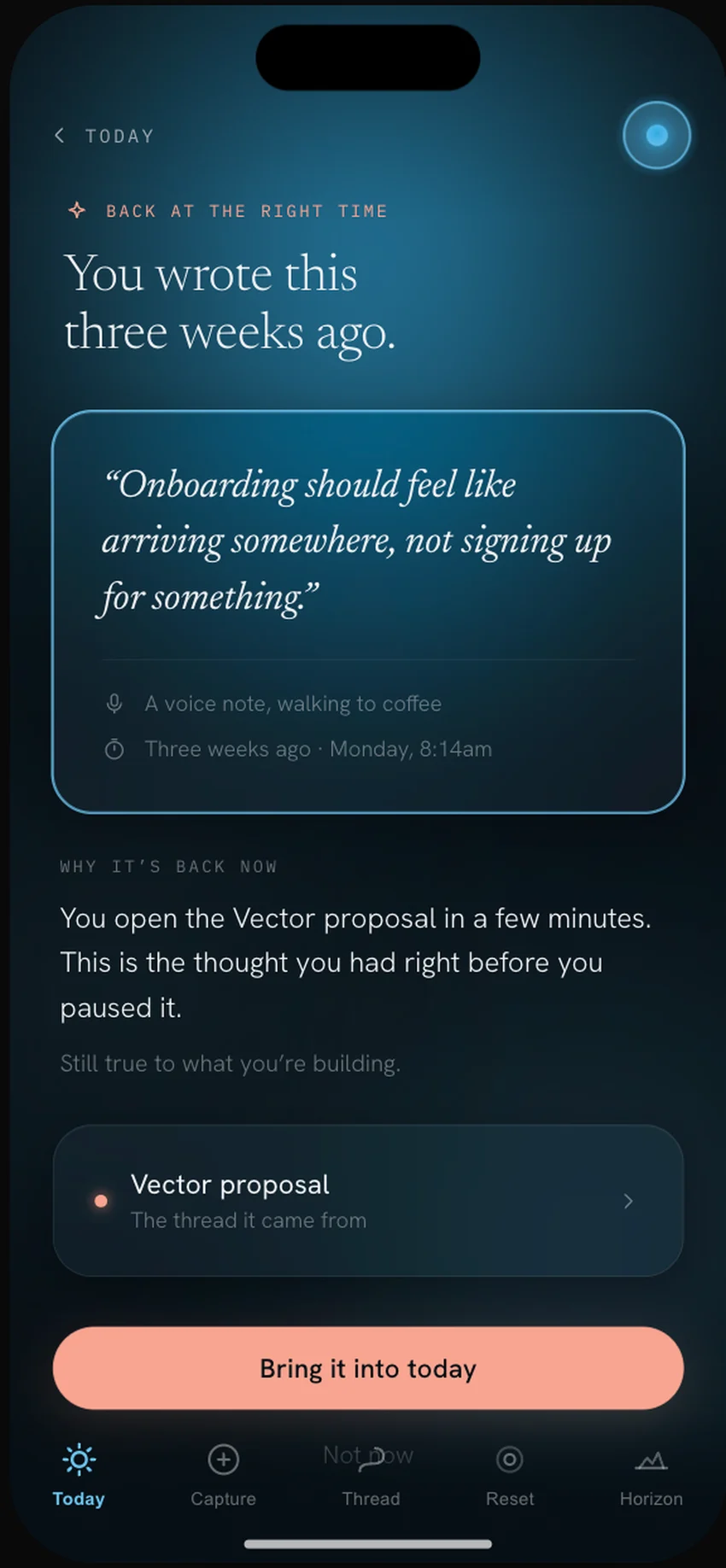
The right thing, at the right time.
It comes back the morning you reopen the work it belongs to, rather than at 9am because of a reminder you set three weeks ago. Naya hands the thought back with its context intact, so you pick up the thread instead of hunting for it.
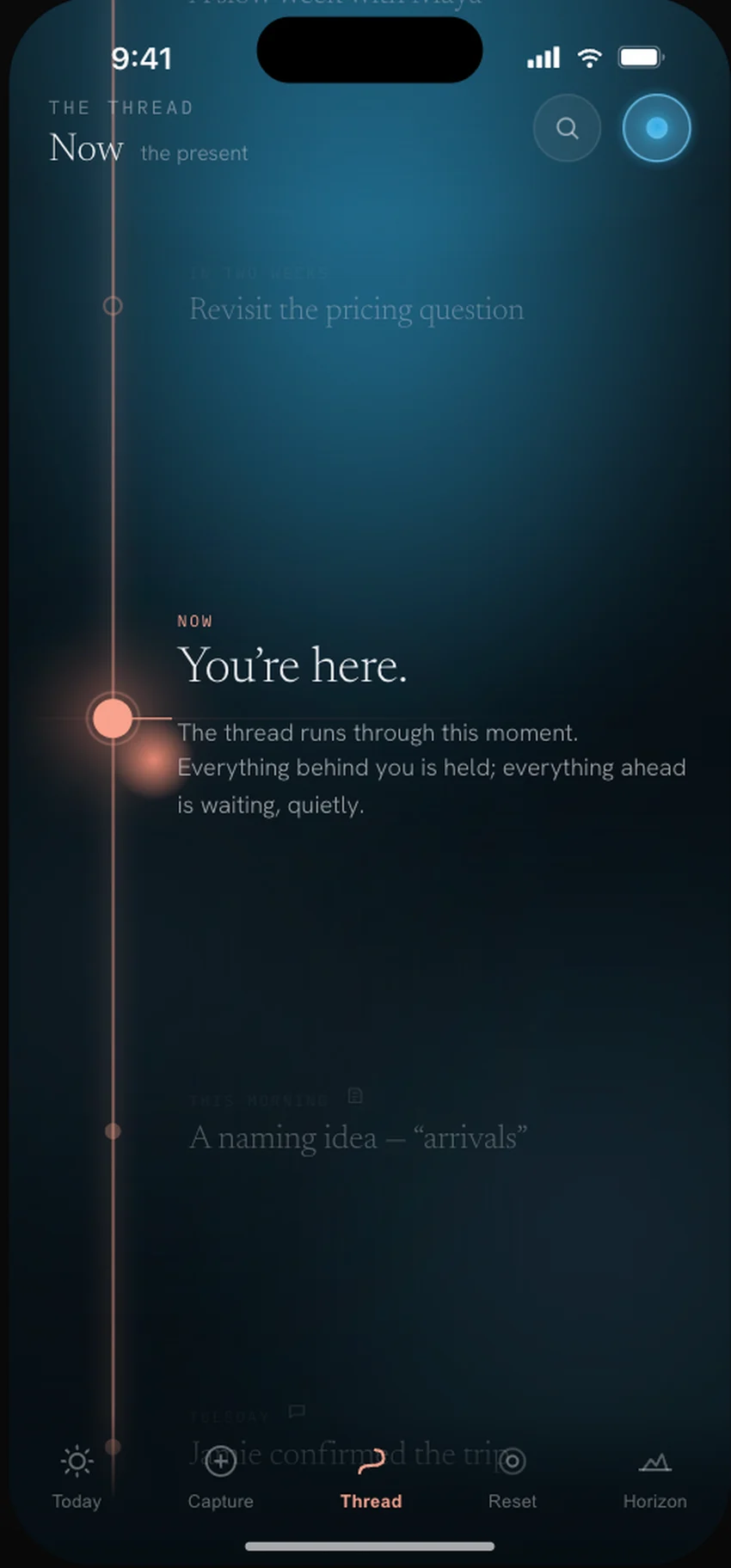
Everything stays on one line you can walk.
Your context lives on a single thread rather than a pile of folders to rebuild: what came before, where you are now, what's still waiting. Step away for a day or a month and your place stays marked.
You can see everything it holds.
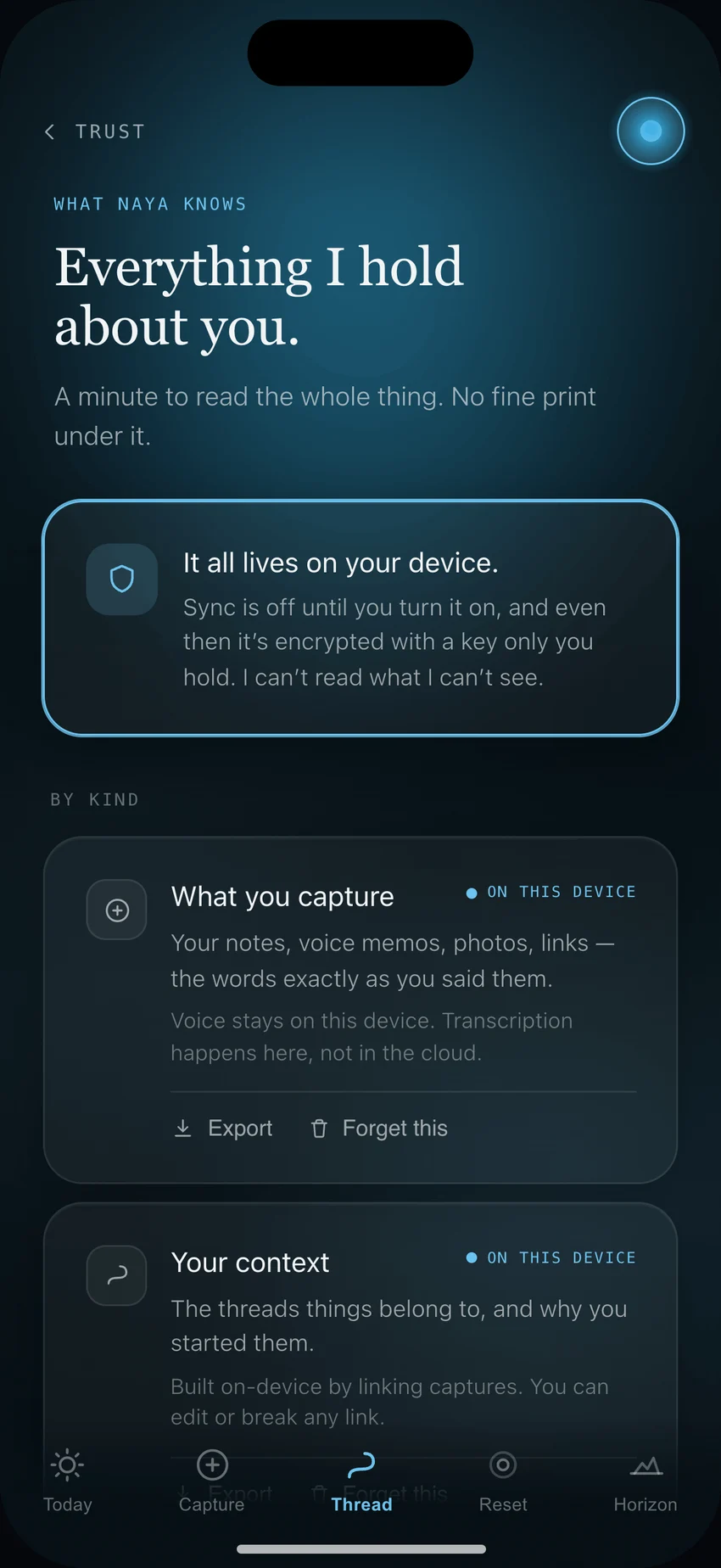
One Trust screen shows exactly what Naya keeps about you: on your device by default, sync off until you turn it on, encrypted with a key only you hold. Export and Forget sit on everything. No fine print underneath.
Three steps, and none of them is upkeep.
Capture naturally
Type it, say it, save a screenshot, drop in a note, whatever's easiest before the thought disappears.
Life happens
Meetings, messages, weeks pass. You don't have to keep any of it perfectly organized.
Come back
Naya brings back what mattered with enough context to continue, so you pick up from solid ground instead of a blank place.
How Naya knows what to bring back.
The part that feels like magic is really three quiet jobs Naya does so you don't have to.
Captures become threads
Every note, voice memo, or detail gets linked to the people, projects, and dates it belongs to, so it becomes part of a living thread instead of a loose item in a list.
Each screen pulls what fits
Today asks "what matters now?" Continuity asks "where did I leave off?" Each part of Naya surfaces only the context that belongs where you are, never everything at once.
It reads your capacity
Naya weighs timing, relevance, and how much you can hold right now, so the same memory can come back in full, or as just the one thing that matters.
For example. You capture one line, "Ask Jamie about the deck before the proposal call", and forget it. The morning of the call, Today brings it back: tied to Jamie and the proposal, with one next step, sending the quick message. You never set a reminder. Naya kept the thread.
Same memory. Shown by what you can hold.
That's the point of resurfacing: it weighs what's useful to you right now, given your capacity.
Most apps save the information. Naya keeps the moment around it.
A note can survive while the reason disappears. A reminder can fire while the context is missing. A screenshot can sit in your camera roll while the next step is long gone. Naya holds the why along with the item, so when you come back, you're continuing your thinking instead of rebuilding it.
Notes & reminders
- Store the information
- Wait for you to search
- Treat each item as its own island
- Fire on a clock you set weeks ago
- Leave you to rebuild the context
Naya
- Keeps why it mattered
- Brings things back when they're relevant
- Connects moments across time
- Surfaces at the right moment, not the set time
- Helps you continue where you left off
The ordinary moments where you lose your place.
Coming back after days away
You sit back down and the context is already there: where you stopped, and why it mattered.
Remembering why you saved something
The screenshot, the link, the half-thought. Naya kept the file and the reason you saved it.
Picking up unfinished work
It waits exactly where you left it. No re-reading to find your footing again.
Re-entering after a heavy stretch
No pile of overdue, no count of what you missed. The thread kept; begin with one small thing.
Helpful for interrupted work · ADHD-ish or neurodivergent minds · founders · creatives · parents · busy professionals · anyone with too many tabs, notes, and half-finished ideas
How Naya makes money is part of how it earns your trust.
One subscription, and that's the whole model. Naya doesn't need to hold your attention or harvest your life to be worth paying for, which is exactly why it never will.
The questions people actually ask.
Is Naya a notes app?
Is it an AI assistant or a chatbot?
What platform is it on?
Is my data private?
How does the trial work?
What happens if I'm away for a while?
If that's the thing you've
been missing,
come be there when it's quiet enough.